Announcing shadcncraft Figma Plugin v2
We’ve released version 2 of the shadcncraft Figma plugin, introducing a much deeper connection between Figma, shadcn tooling, and production code.
We’ve released version 2 of the shadcncraft Figma plugin, introducing a much deeper connection between Figma, shadcn tooling, and production code.
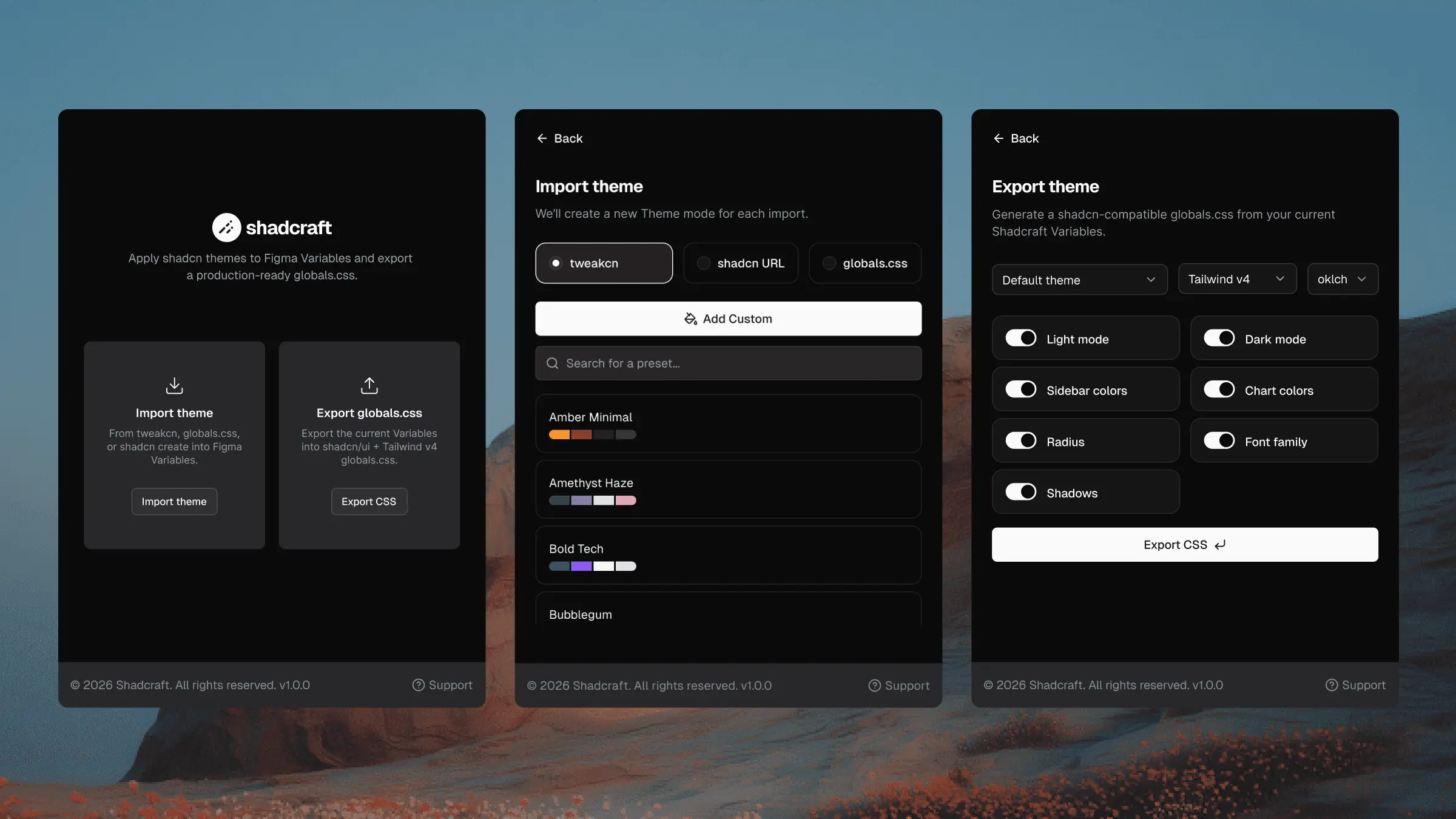
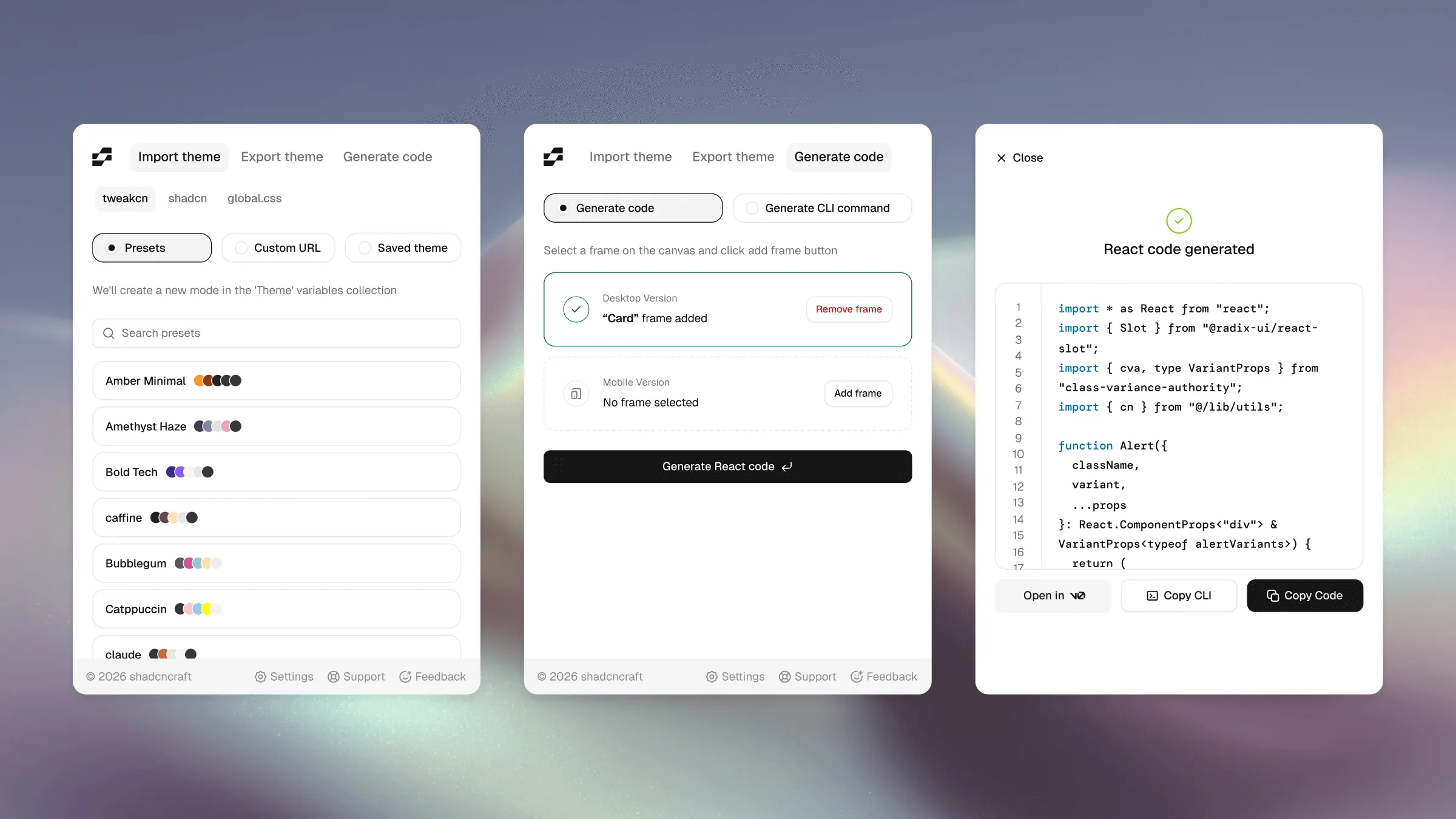
The original plugin focused primarily on theming. Version 2 expands the scope significantly. You can now access themes directly from tweakcn, generate new themes inside the plugin, switch icon libraries across your entire design system, and even export production ready React code.
The goal is simple: reduce the gap between design and working UI.
Access your tweakcn themes directly in Figma
The biggest change in v2 is the ability to log in to your tweakcn account directly from the plugin.
Once connected, the plugin can fetch your saved themes via the tweakcn API. This allows you to instantly apply any theme you’ve created in tweakcn to your Figma file.
Instead of manually recreating themes inside Figma, you can now pull them directly from your tweakcn workspace.
This makes it much easier to:
- Maintain a single source of truth for themes
- Quickly test different theme variations
- Keep Figma aligned with your production theme configuration
Create shadcn Create themes without leaving Figma
The plugin now supports generating themes using shadcn Create directly inside Figma.
You can define a new theme, preview it immediately, and apply it across the design system in seconds.
Designers can experiment with themes visually while still using the same configuration developers rely on when starting a new shadcn project.
Swap your entire icon library instantly
Version 2 introduces a new capability that many teams asked for: global icon library switching.
The plugin can replace all icons in your file with a different library supported by shadcn.
Supported libraries include:
- Lucide
- Remix
- Huge
- Phosphor
- Tabler
If you decide to change icon sets part way through a project, the plugin can update the entire file automatically.
No manual replacement required.
Export responsive React code from Figma (Pro)
Pro users can now generate production quality React code directly from selected frames in Figma.
The generated output is:
- Responsive
- Compatible with shadcn/ui
- Built with proper component structure
- Ready to paste into your project
This allows teams to move from design to working UI much faster.
Instead of rebuilding layouts from scratch, you can generate a starting point that follows the same conventions used in shadcn projects.
Copy CLI install commands for components and blocks (Pro)
Another feature for Pro users is the ability to copy CLI install commands directly from the plugin.
This lets developers install components and blocks into their project using the shadcn CLI without needing to search documentation or browse the registry.
From a selected component or block you can copy the command and run it immediately in your project.
It removes friction from the developer workflow.
A tighter design to code workflow
Version 2 turns the plugin into more than just a theming tool.
It now acts as a bridge between:
- Figma design files
- tweakcn theme management
- shadcn Create theme generation
- shadcn CLI component installation
- Production React code
The result is a faster and more reliable workflow from design to working UI.
Available now
The updated shadcncraft Figma plugin v2 is available now.
If you are already using the shadcncraft design system, updating the plugin unlocks a smoother workflow for theming, component installation, and moving designs into production code.
If you are new to shadcncraft, the free kit is the easiest place to start exploring the ecosystem.